What is a Data Management Plan (DMP)?
A data management plan (DMP) is a formal document that outlines how data will be handled throughout a research project.
It is also considered a living document throughout the project cycle because it canned has to be updated regularly - data content and types may change during the projects' lifetime.
Benefits of creating a DMP
- Enhances the transparency and integrity of your research.
- Ensures the project meets the requirements of many institutions and funding agencies.
- It helps to increase the awareness of potential data management obstacles.
- Finally, a DMP helps to save time in the long run.
Are you writing a proposal and need to add Data Management Plan (DMP)? Write your DMP with the GFBio DMP Tool Questions regarding your data? Contact our Helpdesk! |


The GFBio Data Management Plan Tool (DMP Tool)
The GFBio DMP Tool (https://dmp.gfbio.org/) provides an intuitive platform for creating detailed Data Management Plans.
It contains relevant questions on data management planning in the biodiversity, ecological, and environmental domain, and it is based on the DFG Guidelines on the Handling of Research Data in Biodiversity Research.
Major features of the GFBio's DMP Tool
Users answer the questionnaire about data management for their research project.
Users can download the output as a structured PDF file or if they have a GFBIo account, they can save it in their records.
Upon the user's request, the DMP support begins: the DMP officers at GFBio save a copy of the answered questionnaire in the system, review it, and create an elaborated DMP with the researcher
Users can also request free personal RDM support from the DMP officers.
Steps to create a DMP with the GFBio DMP tool
Account Access
Visit the GFBio DMP Tool website: https://www.gfbio.org/plan/
Create an account (free of charge) to save and manage your DMPs. This allows you to archive your entries, seek personal assistance, and review your DMP as your project advances.
You can also use the tool without an account, however, this excludes saving continuing later and individual support during the process.
Creating a new DMP
After logging in, initiate the creation of a new DMP. The tool will guide you through a sequence of questions categorized into five sections:
- General Project Information: Include project title, description, and funding sources.
- Data Collection: Define data kinds, formats, and methodologies.
- Documentation and Metadata: Develop data documentation strategies and metadata protocols.
- Ethics and Legal Compliance: Pertains to ethical issues, data privacy, and legal responsibilities.
- Preservation and sharing: Data Storage, Backup, Archiving, and Sharing Strategies
General project information
Begin by providing fundamental information about your project, including:
- Project Title.
- Principal Investigator.
- Project Description.
- Financial resource information.
Data collection
Describe the data you wish to collect or generate:
- Data types (e.g., observational, experimental, molecular, multimedia)
- Data formats (e.g. .csv, .txt, .fastq., .xlsx, .pdf)
- Expected data volume
- Methods and tools for data collection
Documentation and Metadata
Describe the approach for documenting your data.
- Metadata standards that will be implemented
- Tools for creating metadata
- Documenting procedures for data analysis
Ethics and legal issues
Examine the ethical and legal ramifications.
- Data protection protocols
- Copyright and licensing
- Ethical issues (if applicable)
Preservation and Sharing
Describe your long-term data preservation and distribution strategies:
- Planned data storage
- Long-term preservation plan (archiving)
- Methods and platforms for data sharing
- Access restrictions (if appropriate)
Review and Finalise the DMP
Upon completing the questions, cross-check your responses for completeness and accuracy before downloading your DMP as a PDF document.
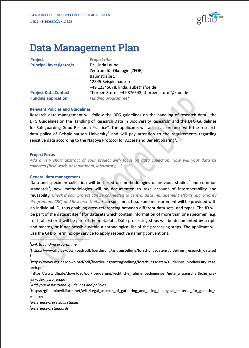
Please note that the standard PDF generated from the GFBio DMP Tool is a provisional document for your guidance. We recommended that you seek personal DMP assistance from GFBio to enhance your plan before submitting it as a complement to your funding proposal.
The assistance will provide you with a GFBio-approved DMP.
Model DMP and Training Materials
The GFBio Model DMP gives you an overview of the information provided in a fully developed DMP. You can have a look here: Mau, Franziska; Timmermann, Britta; Astor, Tina, (2020). GFBio Model Data Management Plan (DMP), GRO.data, V1 https://doi.org/10.25625/W3YEEQ
Training materials and Data Fact Sheets are also available here.
Open Questions?
Get support through the GFBio's helpdesk: helpdesk@gfbio.org
|